
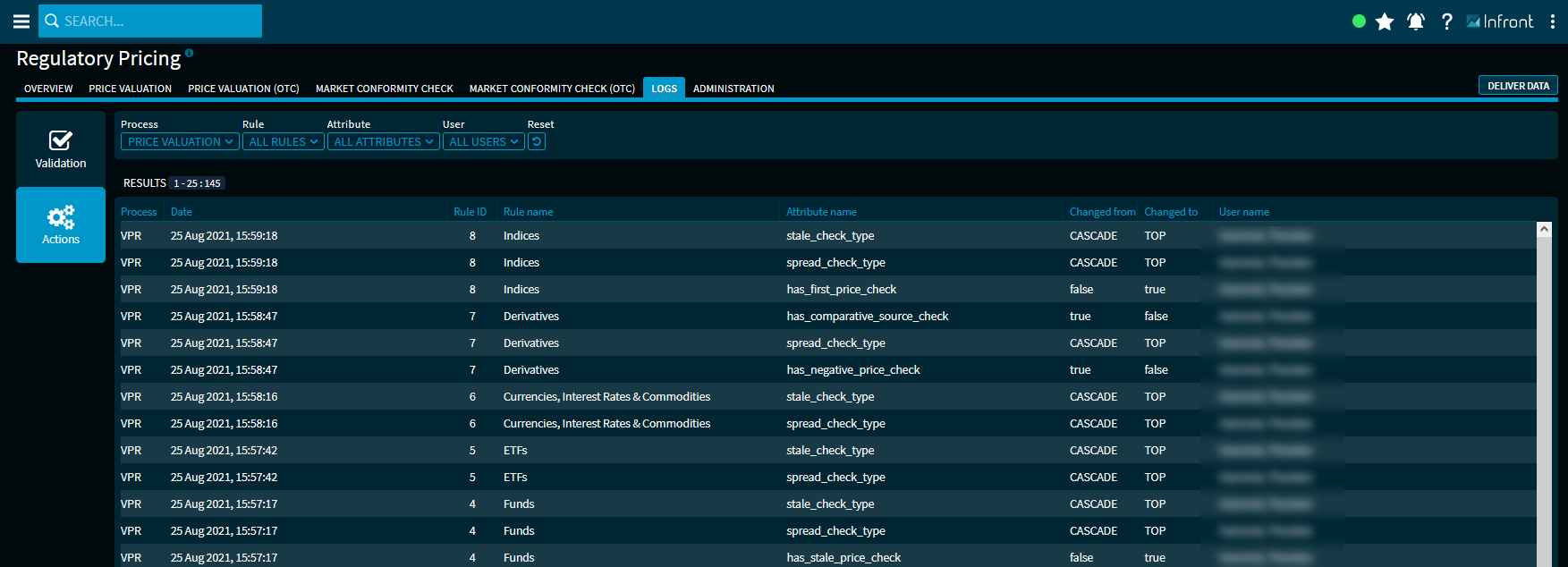
Click the "Actions" button on the left side to go to this area. For administrators, changes to parameters in the administration area are displayed here.
Use the filter elements above the results list to filter the log in the "Actions" area individually.
For each log entry, you will see the following columns in the table:
|
Column |
Description |
|---|---|
|
Process |
The process affected by the action:
|
|
Date |
Date and time of the action. |
|
Rule ID |
The ID of the changed parameter rule. |
|
Rule name |
The name of the changed parameter rule. |
|
Attribute name |
The name of the changed parameter. |
|
Changed by |
The value of the parameters before the change. |
|
Changed to |
The value of the parameters after this change. |
|
User name |
The name of the administrator who performed this action. |