
Switch to the "Price valuation (OTC)" area to access this process.

In this area you can valuate and assign prices to OTC outliers.
Instrument area ("Widgetini")
In the "Price determination (OTC)" process, the instrument data is displayed in the instrument area at the top, similar to the "Price valuation" process. This helps identify a sent instrument in case of errors of the category "Inactive", "Unknown", and so on.
In this widget, the following data for the selected outlier are displayed in detail for the "Price valuation (OTC)" process (if available):
|
Element |
Description |
|---|---|
|
Name |
The security name of the outlier. |
|
ID |
The individual client IDs of the outlier. |
|
ISIN |
The ISIN of the outlier. |
|
Currency |
The currency of the outlier. |
|
Price type |
The quotation type of the outlier, for example "unit" or "percent". |
|
Reference price |
The trading price of the instrument. |
|
Date reference price |
Date and time at the instrument's reference price. |
|
Nominal |
The nominal value of the instrument. |
|
Trade no. |
The trade number of the instrument. |
The remaining structure of this area largely corresponds to the "Price valuation" process , the individual elements are described there.
Differences to the "price valuation" process
The "Trade price" input field in the validation area was renamed to "Price" for the "Price valuation (OTC)" process. The entry of "0" or negative values is also permitted here, as these are sometimes useful (for example, for swaps).
The list of outliers is sorted by name in the "Price valuation (OTC)" process.
List of trading venues
At the bottom of the "Price valuation (OTC)" area, you see the list of available trading venues for the selected outlier. By default, the trading venue list shows the following columns in detail:
|
Column |
Description |
|---|---|

|
[Selection buttons] Click this button to select this line or trading venue and to show the associated price as the trading price in the validation area. A comment is automatically inserted in the comment field to provide information for validation. By default, the "Pick Infront Quant" entry is set here. This data can be overwritten in the validation area. If the button is disabled, this entry cannot be selected, for example, error "922" (no rate in request currency available). Entries without a valuation price cannot be selected either. If the list does not contain a single trading venue in the requested currency, then a corresponding note will be displayed above the list. |
|
Occur. error |
In this column, you can see the assignment to the errors that occurred for each entry. Multiple errors can occur here. Example 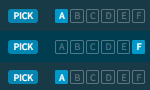
The errors that have occurred are symbolised by different letters. You will also find these at the top of the status area so that you can easily assign the entries. |
|
Short name |
The security name (short name) of the instrument. |
|
Date valuation price |
Date and time of the last price valuation. |
|
Valuation price |
The valuation price of the instrument on the corresponding trading venue. |
|
Previous day's price |
The reference price of the instrument on the corresponding trading venue. |
|
Previous valuation price |
The last valid valuation price. |
|
Tolerance level previous day [%] |
The permitted difference in percent from the previous day's price. |
|
Diff. previous valuation price |
The (absolute) difference to the last valid valuation price. |
|
Product category |
The product or asset category of the instrument. |
|
Comment Delivery |
The specified comment on the delivery of this instrument. [Client data] |
Via the settings dialogue, you can also show the following columns (here in alphabetical order):
|
Column |
Description |
|---|---|
|
Tolerance level [%] |
The permitted difference in percent from the reference price. |
|
Date |
Processing date and time of the instrument. |
|
Date reference price |
Date and time at the reference price. [Client data] |
|
Date previous day price |
Date and time at the previous day's price. |
|
Difference reference price |
The difference to the reference price. |
|
Diff. to previous valuation price [%] |
The relative difference to the last valid valuation price in percent. |
|
Difference previous day's price |
The (absolute) difference to the previous day's price. |
|
Difference previous day's price [%] |
The relative difference to the previous day's price in percent. |
|
Trade ID |
The individual trade ID of the instrument. [Client data] |
|
Client ID |
The individual client IDs of the instrument. [Client data] |
|
Price type |
The quote type of this instrument, for example:
[Client data] |
|
Price rule |
The underlying price rule (number of the applied valuation price rule). |
|
Product category ID |
The unique ID of the asset category of the instrument, for example "1000" for the category "Equities and equity-like" or "4000" for the category "Certificates". |
|
Reference price |
The reference price of the instrument on the corresponding trading venue. [Client data] |
For more information about working with tables and lists, see Table functions.