List of parameter rules in the "Transaction cost calculation" area:
|
Rule |
Description |
ID |
|---|---|---|
|
Rule 1 |
Government bonds and similar instruments developed market rating AAA-A |
GOVDMHI |
|
Rule 2 |
Government bonds and similar instruments developed market rating below A |
GOVDMLO |
|
Rule 3 |
Government bonds emerging markets (hard and soft currency) |
GOVEMAL |
|
Rule 4 |
Investment grade corporate bonds |
CORIGAL |
|
Rule 5 |
High yield corporate bonds |
CORHYA |
|
Rule 6 |
Money market instruments (for the sake of clarity, money markets funds not included) |
MMXFNDS |
|
Rule 7 |
Large-cap shares (developed markets) |
EQDMLAR |
|
Rule 8 |
MID-cap shares (developed markets) |
EQDMMID |
|
Rule 9 |
Small-cap shares (developed markets) |
EQDMSMA |
|
Rule 10 |
Shares emerging markets ALL CAPS |
EQEMALL |
|
Rule 11 |
Listed derivatives |
ETDERIV |
|
Rule 12 |
OTC Exotic options |
OTCOEXO |
|
Rule 13 |
OTC Plain vanilla options |
OTCOVAN |
|
Rule 14 |
OTC IRS, CDS and similar |
OTCSVAN |
|
Rule 15 |
OTC swaps and similar instruments (different from IRS, CDS and similar) |
OTCSOTH |
|
Rule 16 |
OTC FX forwards developed markets |
OTCFXDM |
|
Rule 17 |
OTC FX forwards emerging markets |
OTCFXEM |
List of parameters:
|
Parameter |
Description |
|---|---|
|
Tolerance transaction costs |
Enter the tolerance value in per cent (0-999) for the transaction cost ratio here. |
|
Tolerance arrival price |
Enter the limit value in percent (0-999) for the arrival price.
|
|
Requested price quality |
Enable this parameter, which is disabled by default, to configure the price quality for the arrival price valuation.
After enabling the parameter, first select the price type in the first drop-down list:
Then select the valuation type in the second drop-down list:
|
|
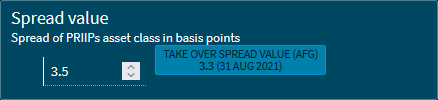
Spread value |
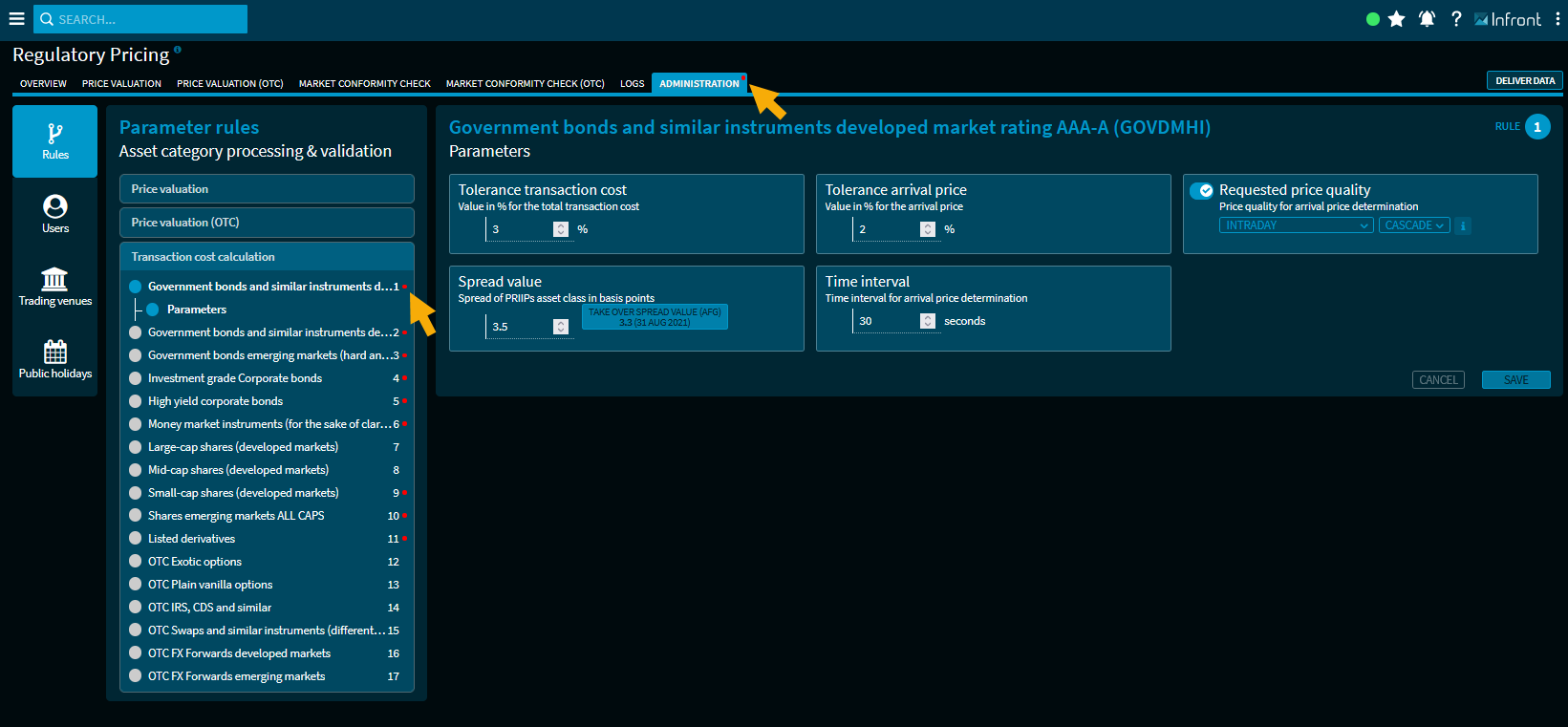
Enter the spread of the PRIIPs asset class in basis points here. If there is a different spread value from AFG (Association Française de la Gestion financière), it is displayed next to it with the date. You can overwrite the currently entered value via the button "Take over spread (AFG)". Parameter rules for which current deviating AFG spreads are available for valuation can be recognised by the "red dots" behind the rule:
A corresponding symbol ("red dot") is also displayed on the "Administration" tab itself.
|
|
Time interval |
Enter the number of seconds (0-3600) for the time intervals of the arrival price valuation. |